Your Work Now Has a Front Door — Plus Tables, Track Changes, and 12 More Updates
A week ago, if you wanted to show someone what you were working on in Plotiar, you had to invite them as a collaborator. That was fine for co-authors, but terrible for everything else — sharing a draft with a book club, linking a research document in a forum post, putting your portfolio somewhere a literary agent could actually see it.
That changed this week. Along with about fifteen other things.
Your Work Now Has a Front Door
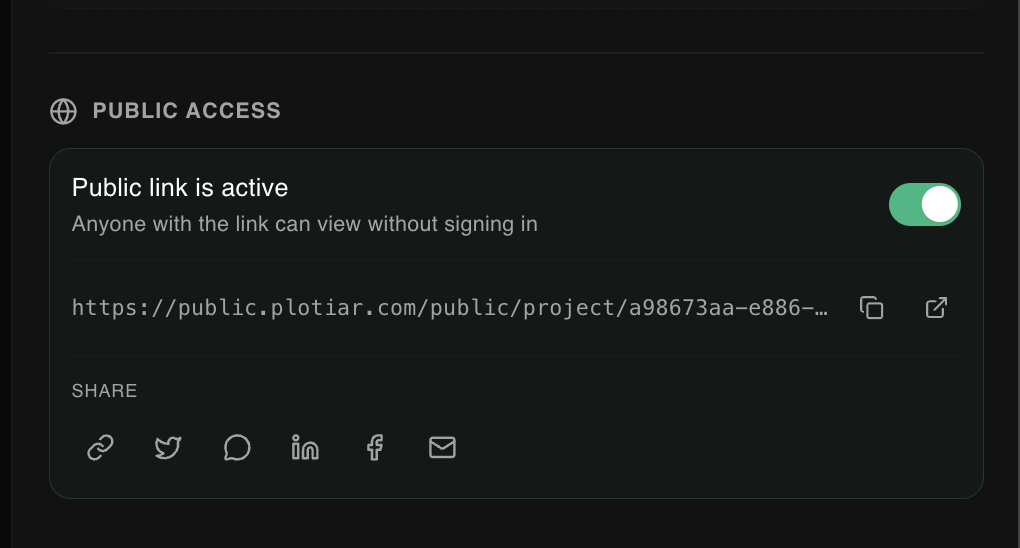
Any document, flowchart, ideaboard, or entire project in Plotiar can now go public with a single toggle. Flip it, and you get a clean link on public.plotiar.com that anyone can open — no account, no login wall, no "request access" purgatory. Just your work, presented exactly the way you built it, in a read-only view that looks like it belongs there.
The use cases are the obvious ones: beta readers, writing groups, professors sharing course materials, freelance writers building a portfolio they can actually point to. But the less obvious one is the one we keep thinking about — the ability to just link to your work in the places where writers already gather. Drop a chapter in a Reddit thread. Share a flowchart in a Discord server. Put your ideaboard in a tweet. The writing is the marketing.
Once a link is live, share buttons for X, Reddit, LinkedIn, Facebook, and email sit right in the share panel. No copying and pasting into a URL shortener. No fiddling.
Track Changes You Can Actually Trust
Here is a thing that used to happen: you would turn on track changes, spend an hour editing, close your laptop, come back the next morning, and your tracked changes were gone. The document was fine — your edits were all there — but the tracked part had vanished. If you were working with a co-author, they never saw any of it.
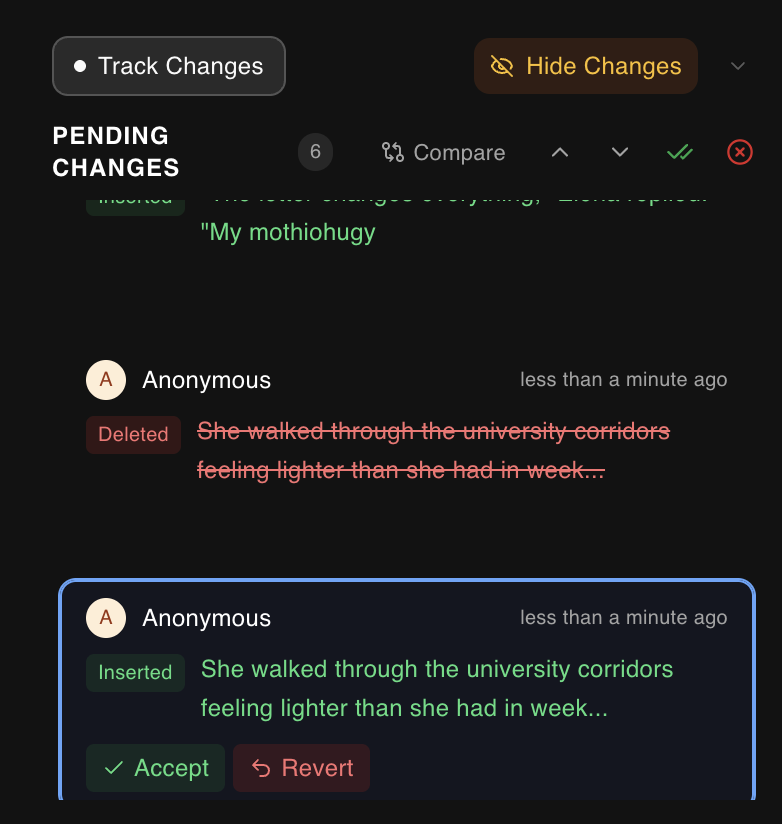
That is fixed. Tracked changes now persist through the same real-time sync layer that handles collaborative editing. Close your browser, switch devices, come back in a week — every insertion, deletion, and formatting change is right where you left it. And your collaborators see them live, as you make them, the same way they already see your cursor and your text.
We also fixed the thing where deleting a paragraph produced thirty-seven individual tracked deletions (one per character). Consecutive deletions now batch into a single change. Format edits — when you bold something, or remove italics — show up with a distinct purple dotted underline so you can tell them apart from content changes at a glance.
For the revision-day power move: accept all and reject all resolve every tracked change in the document in one click. And the compare view lets you see exactly what changed between any two states, side by side, so "what did I actually do in that editing session" finally has a real answer.
Plotiar Speaks Your Language Now
The entire interface — every menu, every button, every tooltip and dialog — can now be switched to your language from settings. We are starting with a core set and growing it based on demand, but the infrastructure is fully in place. Writing tools should not make you think in a second language while you are trying to think in your first one.
Tables, Equations, and the Small Things That Were Driving You Crazy
The document editor had a good week.
Tables work the way you would expect from a word processor that respects your time. Insert one, tab between cells, type, format, move on. Keyboard navigation, cell selection, cursor positioning — all of it just works. No fighting the tool to get a simple grid of information into your document.
Equations are in too. Inline mathematical and scientific notation, right in your prose. If you are an academic or a researcher and you have been maintaining two separate tools — one for writing and one for formulas — you do not have to anymore.
The smaller stuff matters just as much, honestly. URLs auto-link as you type now, so pasting a reference does not require an extra step. The cursor finally scales to match your text size instead of being a fixed sliver regardless of whether you are writing in 12pt or 24pt. Spellcheck works alongside track changes without the two features stepping on each other. And every single native browser popup — those ugly system dialogs that look like they wandered in from 2004 — has been replaced with in-app dialogs that match everything else. It is a small thing until you notice it, and then you cannot un-notice it.
AI That Does the Parts You Skip
Nobody becomes a writer because they love formatting title pages. Or manually building a table of contents. Or looking up whether the Oxford comma goes inside or outside the parenthetical in APA citation style.
AI Cover Pages generate a clean, professional title page from your document in seconds. AI Table of Contents reads your heading structure and builds a formatted TOC you can regenerate whenever your outline changes. AI Bibliography takes the pain out of reference management and citation formatting.
These are not creative tools — they are anti-busywork tools. They handle the mechanical parts so you stay in the writing.
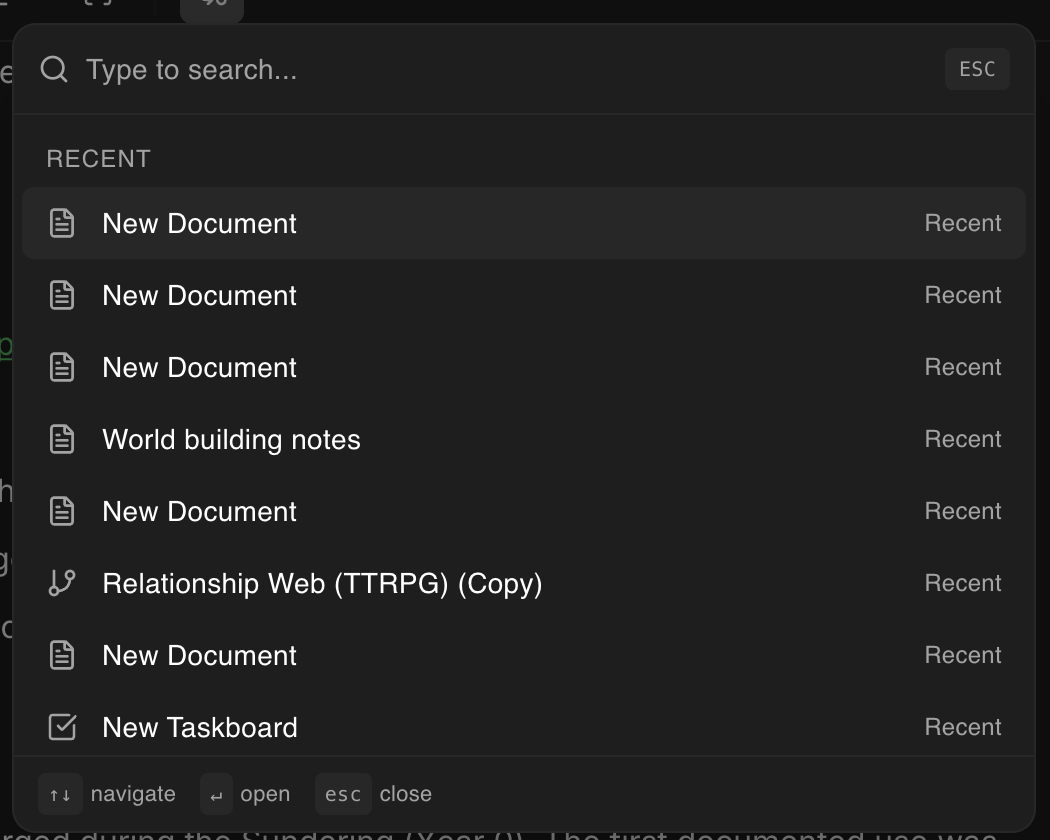
Separately, the Cmd+K command palette now has a full content creation flow. Hit the shortcut, pick what you want to create — document, flowchart, ideaboard, taskboard, plotgrid, folder — choose where it lives, name it, and you are already there. Two seconds, entirely from the keyboard, no mouse required. Once you get used to it, clicking through menus to create a new document starts to feel prehistoric.
A Place for Everything
There is a proper recycling bin now, with its own search and filtering. Accidentally deleting chapter 14 is no longer a panic moment — it is a ten-second recovery.
Reading time estimates show up on documents automatically. Useful for pacing yourself, useful for telling a beta reader "this is a fifteen-minute read," useful for that quiet satisfaction of watching the number climb as your draft grows.
Oh, and dark mode is now the default. We resisted this for a while, but the data was overwhelming — the vast majority of you were switching to it manually anyway. Light mode is still one click away in settings. But if you have not tried writing in dark mode, give it a few days before you switch back. Most people do not switch back.
Everything Else
DocX export is free now. No subscription, no paywall. Download your work as a Word document whenever you need to. We decided this should not be a premium feature — getting your writing out of the tool should never have friction.
Bibliography management got a major overhaul with better formatting and easier handling. Cover pages picked up new customization options and visual polish. And if you share a Plotiar link anywhere on social media, it now shows proper rich previews — title, description, image — instead of a bare URL. The kind of thing nobody notices when it works, but everybody notices when it does not.
What We Are Thinking About Next
Public sharing is a foundation, not a destination. We are exploring shareable templates, public project portfolios, and more ways to get your work in front of readers without leaving the tool where you wrote it. The line between "writing tool" and "publishing platform" is blurrier than most people think, and we are interested in what lives in that gap.
Everything in this post is live right now. Go try it. And if you run into something that feels off — tell us. We are building this alongside you, and the fastest way to make Plotiar better is hearing what is not working yet.